dbbot Configuration and Single-Node Deployment Demo
Example goal: Concurrently deploy MySQL standalone instances (5.7.39, port 3310) on three machines.
1. Optional: Upload the installation package in advance
If fcs_auto_download_packages: true in common_config.yml, it can be downloaded automatically. Offline scenes can be manually uploaded to:
/usr/local/dbbot/mysql_ansible/downloads
Example filename:
mysql-5.7.39-linux-glibc2.12-x86_64.tar.gz
2. Configure host inventory inventory/hosts.ini
[dbbot_mysql]
192.0.2.131 ansible_user=root ansible_ssh_pass="'<your_password>'"
192.0.2.132 ansible_user=root ansible_ssh_pass="'<your_password>'"
192.0.2.133 ansible_user=root ansible_ssh_pass="'<your_password>'"
Note:
- Currently only
rootis supported for deployment. - It is recommended to keep the password writing method in the form of
"'password'".
3. Configure public parameters
Edit playbooks/common_config.yml:
mysql_version: "5.7.39"
mysql_port: 3310
advanced_config.yml is an advanced option and cannot be modified by default.
Default password notes:
- dbbot’s public default passwords follow
Dbbot_<user>@8888/Dbbot_<linux_user>@9999. - The default is
fcs_allow_dbbot_default_passwd: false, so if you do not change these passwords, the standalone demonstration will also be intercepted bypre_tasks. - In production, change these passwords first and then run the standard command without
-e. - Only for quick validation in a non-production environment is it recommended to temporarily allow the public default passwords explicitly.
4. Perform standalone deployment
If you have already replaced the public default passwords with your own, run:
cd /usr/local/dbbot/mysql_ansible/playbooks
ansible-playbook single_node.yml
If you are only doing a non-production demo and temporarily keep dbbot’s public default passwords, run:
cd /usr/local/dbbot/mysql_ansible/playbooks
ansible-playbook single_node.yml -e '{"fcs_allow_dbbot_default_passwd": true}'
Notes:
- The
-eexample above is only for non-production deployments. - If you run the command without
-e, replace the public default passwords first. Otherwise the playbook will fail and stop inpre_tasks.
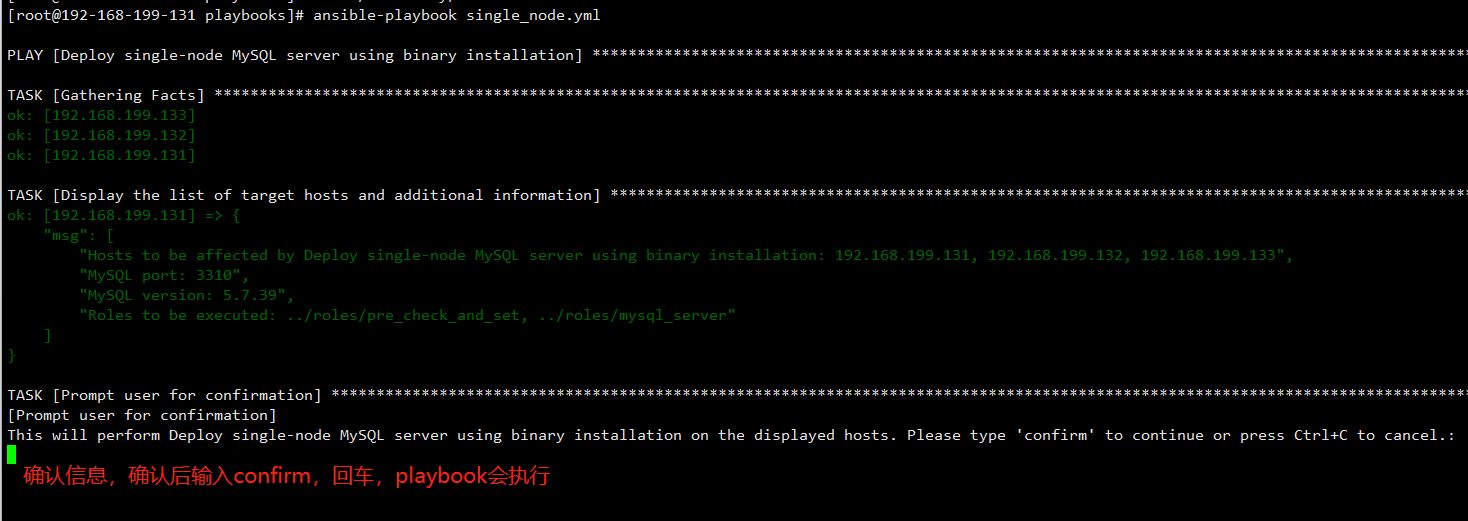
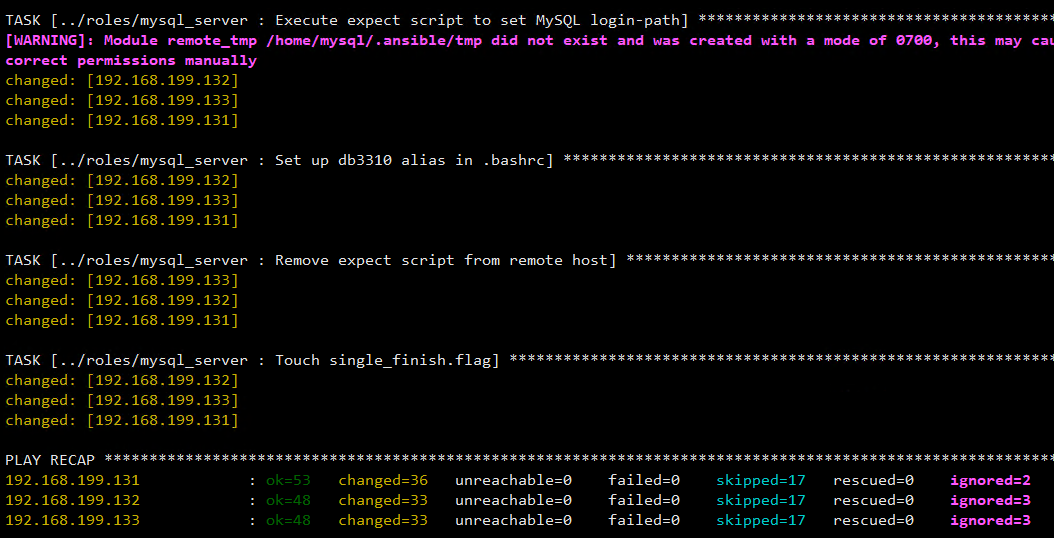
5. Validation example
mysql -uadmin -h127.0.0.1 -P3310 -pDbbot_admin@8888 -e "select @@version"
Quick login is enabled by default. You can also:
su mysql
db3310
Pre-deployment checklist
inventory/hosts.inihost information is correct.playbooks/common_config.ymlcommon parameters are correct.playbooks/vars/var_xxx.ymlproprietary parameters are filled in according to the script.- (Optional)
playbooks/advanced_config.ymlAdvanced parameter confirmation.